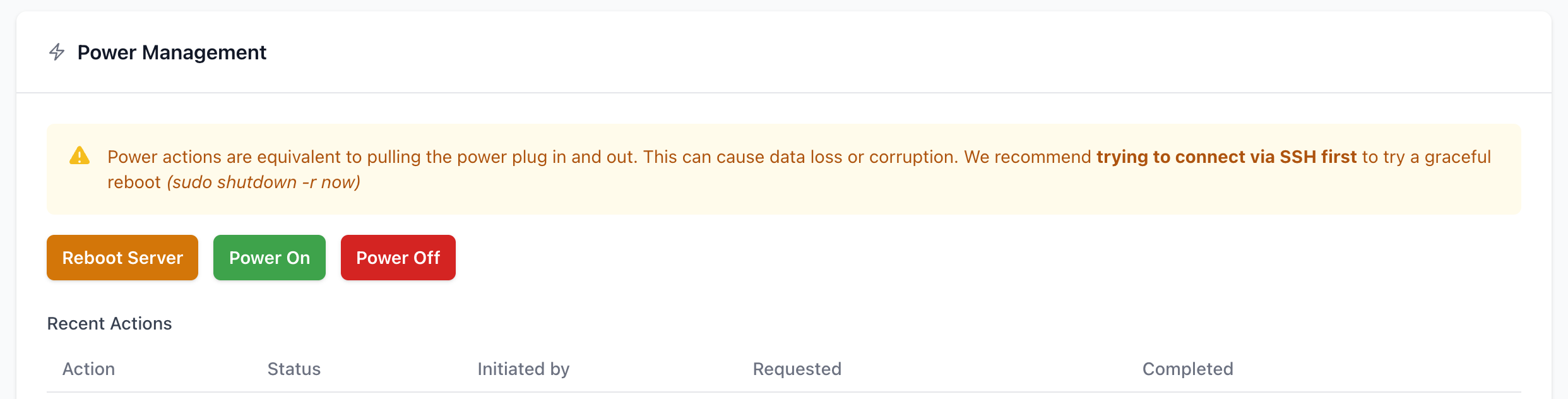
Remote reboot
The Remote Reboot feature in your customer panel lets you power-cycle your Mac server without contacting support. It works exactly like pulling the plug out of the wall and plugging it back in.
How it works
Each Mac in our data centers is connected through a managed PDU (power distribution unit). When you trigger a remote reboot, we cut power to that specific outlet, wait a few seconds, and switch it back on. Your Mac then boots normally.
This is a hard power cycle, not a graceful shutdown. macOS does not get a chance to close applications or unmount volumes cleanly. Think of it as the last-resort option when the OS is unresponsive and you can't reach it anymore.
When to use it
Good reasons:
The Mac is unreachable over the network and normal remote access doesn't respond.
A kernel panic or frozen GUI that you can't recover over SSH.
Stuck in a boot loop or hung on a macOS update (waited >30 mins)
Bad reasons:
Restarting to apply a software update or just to get a fresh start. Use
sudo shutdown -r nowor the Restart menu, that's cleaner and faster.If you accidentally pressed 'Shut down' on your server - this option will not bring your Mac back to life. It will need a physical intervention.
How to do it
Log in to our Customer Portal and find the server that you want to reboot on the Services page
Scroll down to the Reboot options menu, and select the power action that you want to perform.
After a short delay, power is restored.
Your Mac powers on automatically, assuming "Start up automatically after a power failure" is enabled in System Settings → Energy.
If your Mac doesn't come back online within a few minutes, open a support ticket. We'll check the outlet status on our side and physically inspect the machine if needed.
FileVault password
If you have FileVault enabled and no unlock automation configured, your Mac will sit at the FileVault login screen after reboot and won't be reachable over the network. Please refer to our FileVault guide for more information.
Risks you should be aware of
Filesystem corruption. APFS is resilient but not immune. A hard power cut during a write can leave you with corrupted files or, rarely, an unbootable volume.
In-flight data loss. Anything not yet stored to disk is gone.
Stuck firmware updates. If the Mac was mid-way through a macOS or firmware update, cutting power can brick it or force a recovery reinstall. If in doubt, wait and ask support before rebooting.